Screen recording and editing for Mac.
Record a display, a window or part of the screen. Trim the take, zoom in on the clicks that matter, add captions and export an MP4 up to 4K at 60 fps.
Record
Screen, sound and camera, each on its own track.
Pick a display, a single window or a region you drag out. System audio, your microphone and your camera record to separate tracks that stay in sync, including when you pause. Koala leaves its own sounds out of the system audio.
The floating recording bar, the outline around your source and the menu-bar controls never show up in the footage. Pause, stop and cancel also have global shortcuts, which work without Accessibility or Input Monitoring access.
Stop, and the project opens in the editor. The original files are kept apart from your edits.
- Sources
- Display, window or region
- Frame rate
- 30 or 60 fps
- Audio
- System audio and microphone, on separate tracks
- Camera
- Its own track, with a device picker and preview
- Controls
- Countdown, pause, stop and cancel
Edit
Cut the take down and point at what matters.
Trim, split and ripple delete on the timeline. Edits never rewrite the source media, and zooms, titles and captions move with every cut. Undo and redo work the way they do in any Mac app.
If you turn on click recording, Koala suggests zooms where your clicks cluster. Each suggestion is an ordinary zoom on its own lane, so you can adjust its focus, timing and scale, or delete it. Manual zooms take a focus point, a scale from 1× to 3× and an ease duration.
Place the camera in a circle or a rounded rectangle and drag it into position in the preview. The preview and the export use the same compositor, so the file matches what you saw.
Add M4A, MP3 or WAV audio on a separate lane. Move, trim, split or mute each clip and set its volume up to 200%. Clean Voice, Podcast and Warm presets give microphone recordings and audio clips a voice processing chain with a high-pass filter, gate, de-esser, compressor and limiter.
- Timeline
- Trim, split, ripple delete, markers, frame stepping
- Zoom
- Suggested from clicks or set by hand, 1× to 3×
- Audio
- Separate audio clips, volume and voice processing
- Camera
- Circle or rounded rectangle, with border, shadow and mirroring
- Titles
- Timed, with position, size and an optional background
- Canvas
-
- Eucalyptus
- Sand
- Midnight
- Paper
Captions
Transcribed on your Mac, timed to the word.
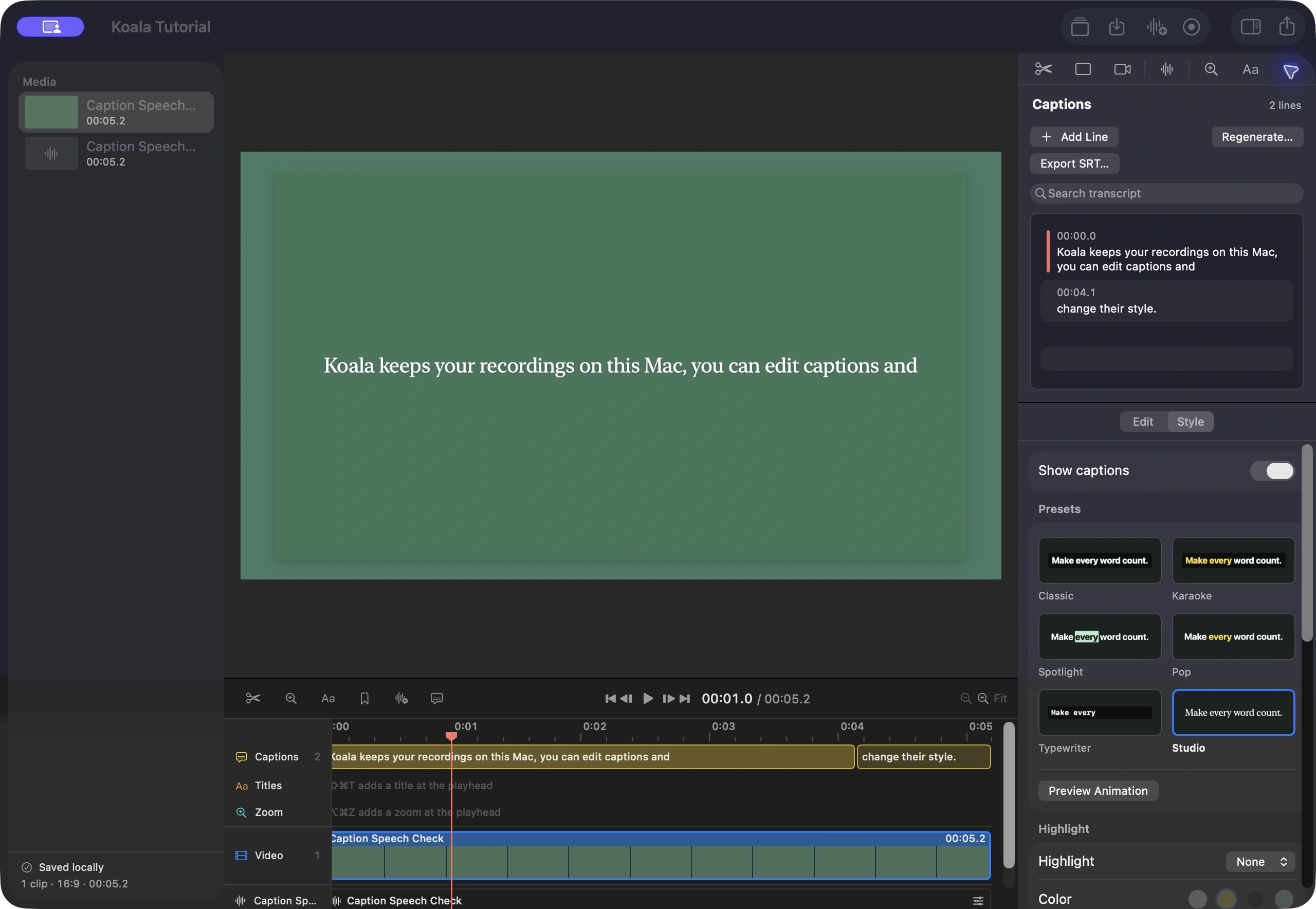
Koala writes captions from the edited timeline with Apple's on-device speech recognition. Choose the language and whether to listen to the microphone, system and imported audio, or both.
Word timings are aligned to the speech waveform. You can still fix any line: edit the text, nudge a single word, split or merge lines, or search the transcript to find a moment.
Start from one of six presets, or set the font, size, color, background and placement yourself. Captions can highlight the current word and animate in, and right-to-left text is supported.
- Recognition
- On-device, from microphone, system and imported audio
- Styles
- Six presets with animated previews, or your own
- Animation
- Fade, rise, pop or typewriter
- Output
- Burned into the video, or an SRT file
Available languages depend on your macOS version and the speech models installed on your Mac.
Privacy
Your recordings stay on your Mac.
Recording, editing and speech recognition all run locally. Koala has no account, sends no analytics and doesn't upload your footage.
Click recording is optional. It starts and pauses with the recording, and the data stays inside the project. Koala doesn't monitor the keyboard or store anything you type.
Projects save automatically and keep their last 100 revisions. Your original media is never rewritten.
This website uses no cookies, analytics or third-party scripts.
Export
MP4, checked before it's saved.
Your canvas, camera, zooms, titles and captions render into one file. Before the export replaces anything at the destination, Koala checks its duration, size, codec and frame rate. You can watch the progress and cancel at any point.
- Format
- MP4
- Codec
- H.264 or HEVC
- Resolution
- 720p, 1080p or 2160p
- Frame rate
- 30 or 60 fps
- Captions
- Burned in, or a separate SRT file